Gun Ballistics Calculator
What this Gun Ballistics Calculator calculator does
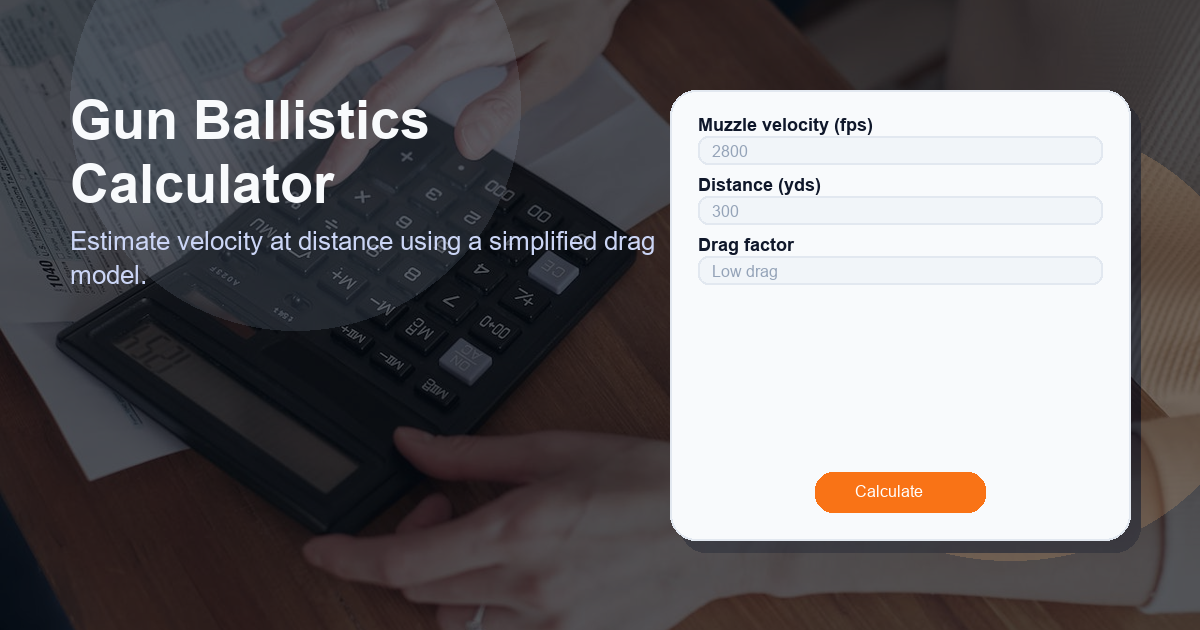
This Gun Ballistics Calculator provides a simple, fast way to estimate velocity at distance using a streamlined drag model. It is designed for shooters, hunters, reloaders, and hobbyists who want a quick approximation of how much velocity a projectile will retain over a chosen range. The calculation uses three inputs—muzzle velocity (fps), distance (yds), and a tunable drag factor—and returns the Velocity at Distance for that scenario.
Unlike full-featured ballistic solvers that require bullet shape, ballistic coefficient (BC), atmospheric data, and complex numerical integration, this tool focuses on clarity and speed: it applies a consistent fractional velocity loss per 100 yards set by the drag factor. Use it when you need a quick baseline estimate or to compare the relative effects of different muzzle velocities and drag assumptions.
How to use the Gun Ballistics Calculator calculator
Using this calculator is straightforward. Enter the three required inputs and read the result labeled Velocity at Distance. Follow these steps:
- Enter Muzzle Velocity (fps) — the bullet speed leaving the muzzle, in feet per second.
- Enter Distance (yds) — the range at which you want the estimated velocity, in yards.
- Select or enter Drag Factor — a small numeric parameter that represents the simplified drag effect (see next section for guidance on typical values).
- Read the output — the calculator displays Velocity at Distance in feet per second, based on the simplified model.
Tips for input values:
- Muzzle Velocity: Typical centerfire rifle velocities range from 1,000 to 3,500 fps. Enter the measured or published value for your load.
- Distance: Use the range in yards. The formula scales per 100 yards.
- Drag Factor: This is a small number (e.g., 1–30) used to tune velocity loss per 100 yards. Higher values indicate greater velocity loss.
How the Gun Ballistics Calculator formula works
The calculator uses a compact exponential decay model to estimate velocity loss with distance. The formula is:
velocity = muzzle_velocity_fps * Math.pow(1 - drag_factor / 1000, distance_yds / 100)What this means in plain terms:
- Base multiplier: (1 – drag_factor / 1000) — a fractional velocity retained per 100 yards.
- Distance scaling: exponent (distance_yds / 100) applies that fraction for every 100 yards traveled, producing an exponential decay across longer ranges.
- Result: multiply the muzzle velocity by the distance-scaled factor to get the estimated Velocity at Distance.
Example: With a muzzle velocity of 2,700 fps, distance of 300 yds, and drag factor of 10:
- Base multiplier = 1 – 10 / 1000 = 0.99
- Exponent = 300 / 100 = 3
- Velocity at Distance = 2700 * 0.99^3 ≈ 2700 * 0.970299 ≈ 2,619 fps
This simplified approach is intentionally coarse but useful for quick comparisons: lowering the drag factor increases retained velocity; increasing distance decreases retained velocity exponentially with each 100-yard interval.
Use cases for the Gun Ballistics Calculator
This calculator is ideal when you need a rapid, readable estimate rather than a high-fidelity solution. Common use cases include:
- Field estimations — Hunters can get a quick sense of velocity drop before a shot when detailed ballistic tables aren’t available.
- Load development — Reloaders can compare how changes to muzzle velocity affect retained speed at range.
- Training and teaching — Instructors can demonstrate basic ballistic decay concepts without diving into complex physics.
- Ballistic app prototyping — Software developers may use the simplified model as a placeholder in a tool that later integrates full ballistic coefficients.
- Scenario planning — Rifle enthusiasts can model relative performance differences between cartridges or loads at common engagement distances.
Other factors to consider when calculating velocity
While the Gun Ballistics Calculator gives a useful baseline, it is a simplified model and omits many real-world influences. Consider the following factors when accuracy matters:
- Ballistic Coefficient (BC) — A real projectile’s aerodynamic shape determines how efficiently it resists drag. BCs vary widely and strongly affect velocity retention.
- Air Density and Altitude — Temperature, pressure, and humidity change air density; bullets retain more velocity in thinner air (higher altitude).
- Wind and Crosswinds — Wind affects trajectory more than direct velocity, but strong headwinds/tails alter time of flight and effective drag.
- Transonic and Supersonic Effects — Bullets crossing the transonic regime (around Mach 1) can experience abrupt drag changes and instability.
- Spin, Yaw, and Stability — Poorly stabilized bullets or those experiencing yaw will see unexpected drag increases.
- Barrel length and atmospheric temperature — These change muzzle velocity itself; always use a measured muzzle velocity for best estimates.
- Projectile mass and shape — Heavier and more streamlined bullets tend to retain velocity better than light, bluff-bodied projectiles.
When you need precision for long-range shooting, use a full ballistics solver that accepts BC, altitude, temperature, barometric pressure, and wind. This simplified calculator is best used as a quick sanity check or planning tool rather than a substitute for range-tested data.
Frequently Asked Questions (FAQ)
Q: What is the drag factor and how do I choose it?
A: The drag factor is a small numeric value used to approximate average velocity loss per 100 yards in this simplified model. Typical test values range from 1–30 depending on projectile and conditions. Lower values mean less drag (better retention). Use measured data or compare the calculator output with known chronograph readings to calibrate the drag factor for your ammo.
Q: Is this Gun Ballistics Calculator accurate for long-range precision shooting?
A: No. This calculator is a simplified model and is not intended for high-precision long-range shooting where real ballistic coefficients, atmospheric data, and numerical solvers are required. Use it for quick estimates, but rely on dedicated ballistic calculators and range testing for precise work.
Q: What units should I use for inputs?
A: Enter muzzle velocity in feet per second (fps), distance in yards (yds), and the drag factor as the numeric parameter used by the formula. The output Velocity at Distance will be in fps.
Q: How can I verify the calculator’s result?
A: The most reliable verification is to chronograph the bullet at the muzzle and, if possible, at the target distance. Compare measured velocities to the calculator’s output and adjust the drag factor to better match real-world data.
Q: Can I use this model for different calibers?
A: Yes, you can use it for any caliber, but you must choose an appropriate drag factor for the projectile and conditions. Remember that the model treats drag uniformly per 100 yards and ignores detailed ballistic coefficients, so treat results as approximate.
For fast, readable estimates of retained speed at range, the Gun Ballistics Calculator is a useful tool. For precision, pair it with measured data and a more complete ballistic solver.