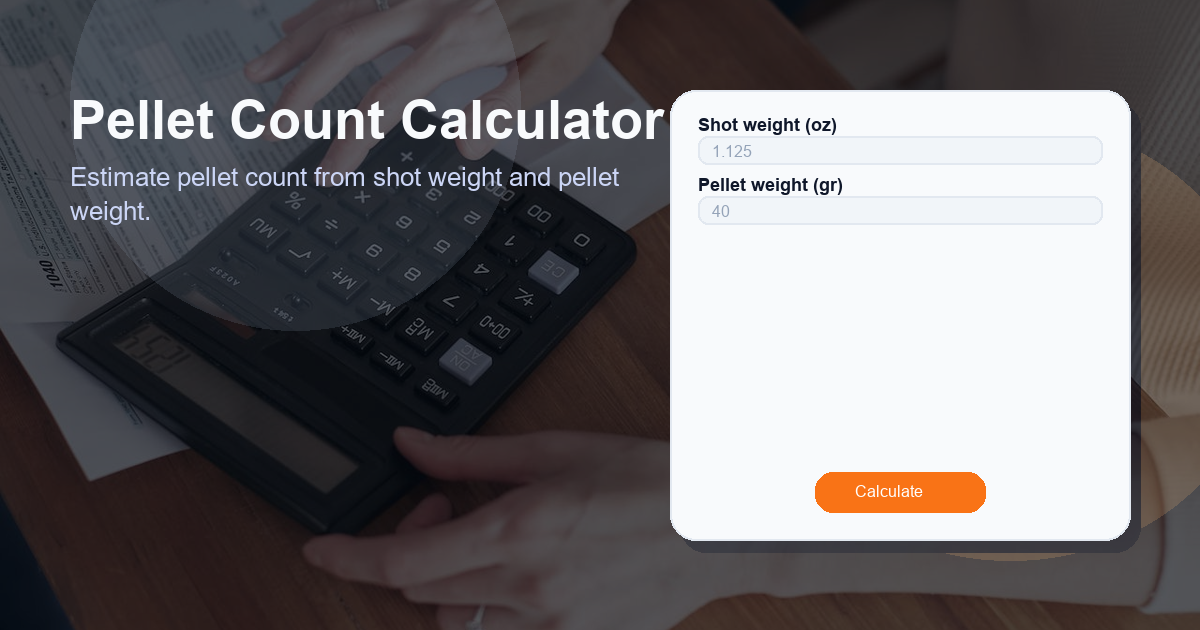
Pellet Count Calculator helps you estimate how many pellets are in a single shot based on the weight of the shot and the weight of one pellet. This calculator is useful for hunters, sports shooters, reloading hobbyists, and anyone who needs a quick, reliable estimate of pellet counts for ballistics, patterning, or regulatory documentation.
What this Pellet Count Calculator calculator does
This Pellet Count Calculator converts a measured shot weight (in ounces) and a pellet weight (in grains) into an estimated number of pellets per shot. It uses a straightforward conversion from ounces to grains, then divides total grains by the weight of a single pellet to produce the Pellet Count.
Key functions:
- Convert shot weight from ounces (oz) to grains (gr).
- Divide the total grains by pellet weight to estimate pellet count.
- Return zero if the pellet weight input is invalid (zero or negative), preventing division errors.
Inputs the calculator expects:
- Shot weight (oz) — the measured weight of the load or shot charge in ounces.
- Pellet weight (gr) — the individual pellet weight in grains.
Output:
- Pellet Count — the estimated number of pellets in the shot.
How to use the Pellet Count Calculator calculator
Using the Pellet Count Calculator is simple and fast. Follow these steps for a reliable estimate:
- Weigh the shot: Measure the total shot or load you want to analyze. Record the weight in ounces (oz).
- Determine pellet weight: Obtain the weight of a single pellet in grains (gr). This might be from manufacturer specifications or measured with a precise scale.
- Input values: Enter the two values into the calculator fields:
- Shot weight (oz)
- Pellet weight (gr)
- Read the Pellet Count: The calculator returns the Pellet Count — an estimated number of pellets in the measured shot.
- Validate: If pellet weight is zero or not provided, the calculator returns 0 to avoid errors. Always double-check inputs for correctness.
Example: If you have a 0.5 oz shot and pellet weight is 8 gr, the calculator estimates how many 8-gr pellets make up that half ounce.
How the Pellet Count Calculator formula works
The calculator uses a compact and safe arithmetic expression to transform your inputs into a pellet count:
pellet_weight_gr > 0 ? (shot_weight_oz * 437.5) / pellet_weight_gr : 0
Breakdown of the formula:
- Convert ounces to grains: 1 ounce = 437.5 grains. Multiplying shot_weight_oz by 437.5 yields the total grain weight of the shot.
- Divide by pellet weight: Dividing total grains by the pellet’s grain weight gives the number of pellets:
- pellet_count = (shot_weight_oz * 437.5) / pellet_weight_gr
- Safety check: The ternary-style guard
pellet_weight_gr > 0 ? ... : 0ensures the function returns 0 when pellet weight is zero or negative, preventing division by zero.
Worked example:
- Shot weight = 0.75 oz
- Pellet weight = 12 gr
- Total grains = 0.75 × 437.5 = 328.125 gr
- Pellet count ≈ 328.125 / 12 ≈ 27.34 → typically rounded depending on use-case (e.g., 27 pellets)
Use cases for the Pellet Count Calculator
The Pellet Count Calculator is valuable across several scenarios. Common use cases include:
- Hunting: Estimate pellet density to understand energy distribution and patterning at range.
- Shot pattern analysis: Combine pellet count with choke and spread data to predict hits on target size.
- Reloading and manufacturing: Verify pellet counts in loads for quality control and batch consistency.
- Regulatory compliance: Provide documentation of pellet counts when rules require limits or reporting.
- Ballistics education: Teach how pellet weight and shot weight interact to affect pellet numbers and performance.
Because the calculator provides an estimate, it’s best used as a planning or verification tool, not a precision lab instrument. For precise regulatory or forensic needs, pair the results with laboratory-grade weighing and counting methods.
Other factors to consider when calculating x
When calculating x (the number of pellets, or Pellet Count), keep these real-world factors in mind:
- Pellet manufacturing tolerances: Pellet weights vary slightly between batches; average weight is used for estimates.
- Material and shape: Different materials (lead, steel, alloy) and pellet shapes influence mass and may affect packing efficiency in shells.
- Compression and packaging: In cartridges, pellets are often compressed or wadded, which can alter measured shot weight versus the theoretical sum of pellet masses.
- Rounding policy: The mathematical result can be fractional. Decide whether to round down, up, or to the nearest whole pellet for your application.
- Measurement accuracy: Use precise scales for shot weight and verify pellet weight from the manufacturer or by weighing multiple pellets and averaging.
- Environmental factors: Temperature and humidity have minimal effect on mass but can affect measurement equipment accuracy.
Adjust your workflow accordingly: when in doubt, measure multiple samples and use averages to improve confidence in your Pellet Count estimates.
Frequently Asked Questions
How accurate is the Pellet Count Calculator?
The calculator provides a close estimate based on the inputs and the fundamental conversion of ounces to grains. Accuracy depends on the precision of your shot weight and pellet weight measurements, and on how representative the pellet weight is for the actual pellets used. For high-precision needs, use calibrated scales and average multiple measurements.
Why does the formula use 437.5?
Because there are 437.5 grains in one avoirdupois ounce. The calculator converts shot weight in ounces to grains to match pellet weight units (grains) before dividing.
What should I do if pellet weight is not known?
If pellet weight in grains is not available from the manufacturer, weigh a sample of 10–100 pellets on a precise scale and divide the total mass by the number of pellets to obtain an average pellet weight in grains.
Can I use this for steel pellets or only lead?
Yes — the calculator works for any pellet material as long as you provide the correct pellet weight in grains. Different materials will have different weights, so verify the pellet weight for the specific material being used.
Should I round the Pellet Count up or down?
Rounding depends on your purpose. For conservative estimates (e.g., safety or compliance) round down to avoid overcounting; for planning or procurement, you may round to the nearest whole pellet. Always document your rounding method.
Pellet Count Calculator offers a fast, transparent, and repeatable way to estimate pellets from shot weight and pellet weight. Use accurate inputs, understand the assumptions, and combine the estimate with physical checks when precision matters.