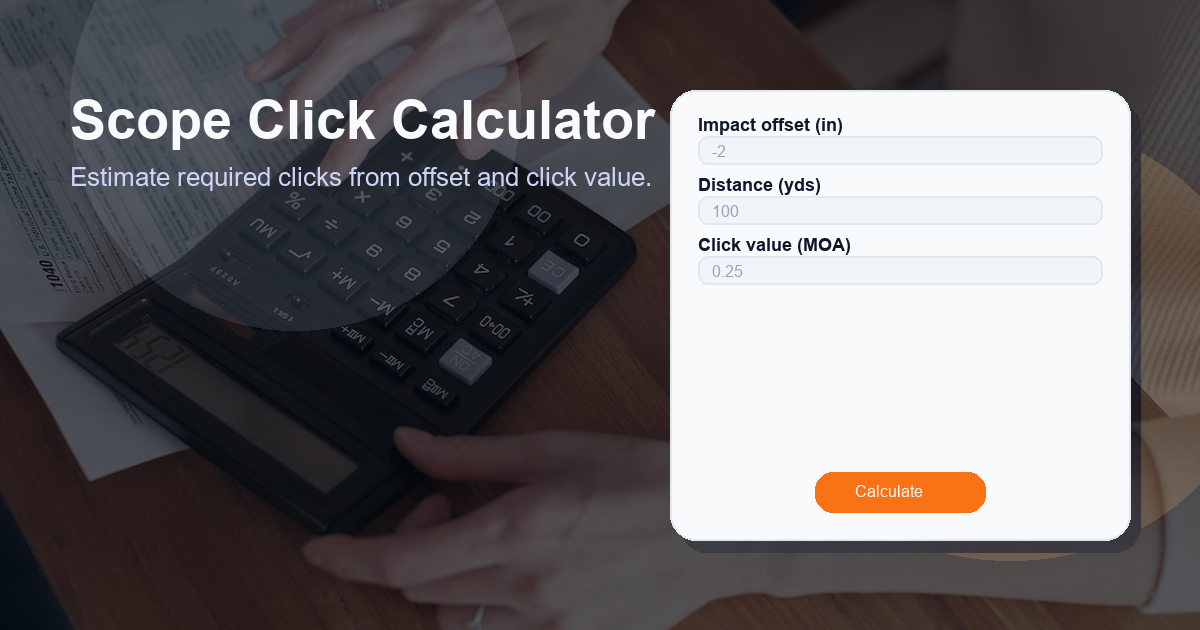
Description: Estimate required clicks from offset and click value. This Scope Click Calculator article explains the inputs, the formula, practical examples, and important considerations so you can quickly convert an impact offset into the number of turret clicks needed to correct your aim.
What this Scope Click Calculator calculator does
The Scope Click Calculator converts a measured impact offset (in inches) at a given distance (in yards) into the number of scope turret clicks required to correct the point of impact. It uses the relationship between inches and minutes-of-angle (MOA) and the known click value of your turret to return a precise adjustment value labeled as Clicks.
Inputs used by the calculator:
- Impact offset (in) — how far (in inches) your shot landed off from the desired point of impact.
- Distance (yds) — the range to the target or impact point in yards.
- Click value (MOA) — how many MOA each turret click moves the point of impact (for example, 0.25 MOA per click).
Result label: Clicks — the number of turret clicks required to correct the offset.
How to use the Scope Click Calculator calculator
Follow these simple steps to use the Scope Click Calculator manually or to verify a tool that implements the formula:
- Measure the impact offset from the aim point in inches and enter that value as Impact offset (in).
- Enter the firing distance in yards as Distance (yds).
- Enter your scope’s turret Click value (MOA) (e.g., 0.25, 0.5, or 1.0).
- The calculator returns Clicks — the number of clicks to dial to move your point of impact toward the aim point.
Practical tips when using the calculator:
- If your turret uses MILs instead of MOA, convert MILs to MOA or use a MIL-capable calculator instead.
- Round the resulting Clicks appropriately depending on turret granularity — usually to the nearest whole click.
- Verify adjustments with follow-up shots; environmental and shooter variables can affect results.
How the Scope Click Calculator formula works
The calculator uses the following conditional formula:
distance_yds > 0 && click_value_moa > 0 ? (impact_offset_in / (1.047 * distance_yds / 100)) / click_value_moa : 0
Breakdown of the formula and terms:
- 1. Condition — distance_yds > 0 && click_value_moa > 0: ensures the calculation only runs for valid positive distance and click value inputs. If either is invalid, the result is 0.
- 2. MOA conversion factor (1.047) — one MOA subtends ≈ 1.047 inches at 100 yards. This constant converts inches into MOA at a given distance.
- 3. (1.047 * distance_yds / 100) — gives the inches per MOA at the specified distance. Example: at 300 yards, inches per MOA = 1.047 * 300 / 100 = 3.141 inches.
- 4. impact_offset_in / (inches per MOA) — converts the measured offset in inches to how many MOA of adjustment are needed.
- 5. Divide by click_value_moa — converts the required MOA to the number of turret clicks, since each click equals click_value_moa MOA.
Example calculation (illustrative):
- Impact offset = 3.0 in
- Distance = 300 yd
- Click value = 0.25 MOA
- Inches per MOA at 300 yd = 1.047 * 300 / 100 = 3.141 in
- MOA required = 3.0 / 3.141 = 0.955 MOA
- Clicks = 0.955 / 0.25 = 3.82 → usually rounded to 4 clicks
Result label: Clicks. Most practical use cases require rounding to whole clicks or the nearest available click increment on your turret.
Use cases for the Scope Click Calculator
The Scope Click Calculator is useful for a wide range of shooters and situations. Common use cases include:
- Sighting-in (zeroing) your rifle: After firing a group, measure the offset and calculate how many clicks to adjust at a known distance.
- Range corrections: Translate measured deviations at the range into turret clicks quickly without complex ballistics software.
- Hunting and field adjustments: Make quick, conservative adjustments in the field when you notice consistent impact offsets.
- Long-range shooting and competitions: Use the calculator as a verification step when dialing for different distances, especially when ballistic drop tables are not convenient.
- Training and drills: Teach new shooters how turret clicks correspond to real-world impact changes at varying distances.
Other factors to consider when calculating clicks
While the Scope Click Calculator provides the theoretical number of clicks, real-world shooting demands consideration of additional variables. Keep these factors in mind:
- Wind: Lateral drift is not accounted for in this calculator. Wind introduces horizontal deviation that must be estimated separately.
- Ammunition ballistics: Bullet drop, BC (ballistic coefficient), and velocity variation affect vertical impact and may require different adjustments than a simple MOA calculation suggests.
- Parallax and sight height: Parallax errors can make measured offsets inconsistent. Ensure parallax is set correctly at the shooting distance.
- Scope mechanical error and backlash: Some turrets have backlash or non-linear movement near stops; always verify adjustments with follow-up shots.
- Environmental conditions: Temperature, altitude, and air pressure affect bullet flight and can change the number of clicks required over long distances.
- Shooter and mount consistency: Inconsistent cheek weld, bipod placement, or loosened mounts will produce offsets unrelated to turret settings.
- Rounding and increment limits: If your turret click value is large (e.g., 1 MOA) you may not be able to dial the exact fractional click amount; round carefully and confirm with a shot.
FAQ
Q: What does each turret click represent in this calculator?
A: Each click represents a fixed MOA value equal to your turret’s click value (e.g., 0.25 MOA per click). The calculator converts the desired MOA change into the number of clicks needed.
Q: Can I use this calculator for MIL-based scopes?
A: This specific formula assumes MOA. For MIL-based scopes, you must convert MIL clicks to MOA or use a MIL-specific version of the calculator. 1 MIL ≈ 3.438 MOA.
Q: Should I round up, down, or to the nearest click?
A: Typically round to the nearest whole click for practical adjustments. If precision is critical and your turret supports fine clicks, choose the rounding strategy that conservatively corrects the POI while minimizing overshoot. Always confirm with a follow-up shot.
Q: Why is the constant 1.047 used in the formula?
A: 1.047 inches is the approximate size of 1 MOA at 100 yards. Multiplying by (distance_yds / 100) scales the MOA-to-inches conversion to the shooting distance.
Q: What if the distance or click value is zero or invalid?
A: The formula includes a guard: if distance_yds <= 0 or click_value_moa <= 0 the calculator returns 0 clicks. Always provide positive, valid inputs.
Summary: The Scope Click Calculator is a practical, easy-to-use tool that converts measured offsets into turret clicks using the MOA system. When combined with attention to environmental and mechanical factors, it becomes an essential step in accurate rifle setup and field adjustments.